














Supplier Onboarding Process
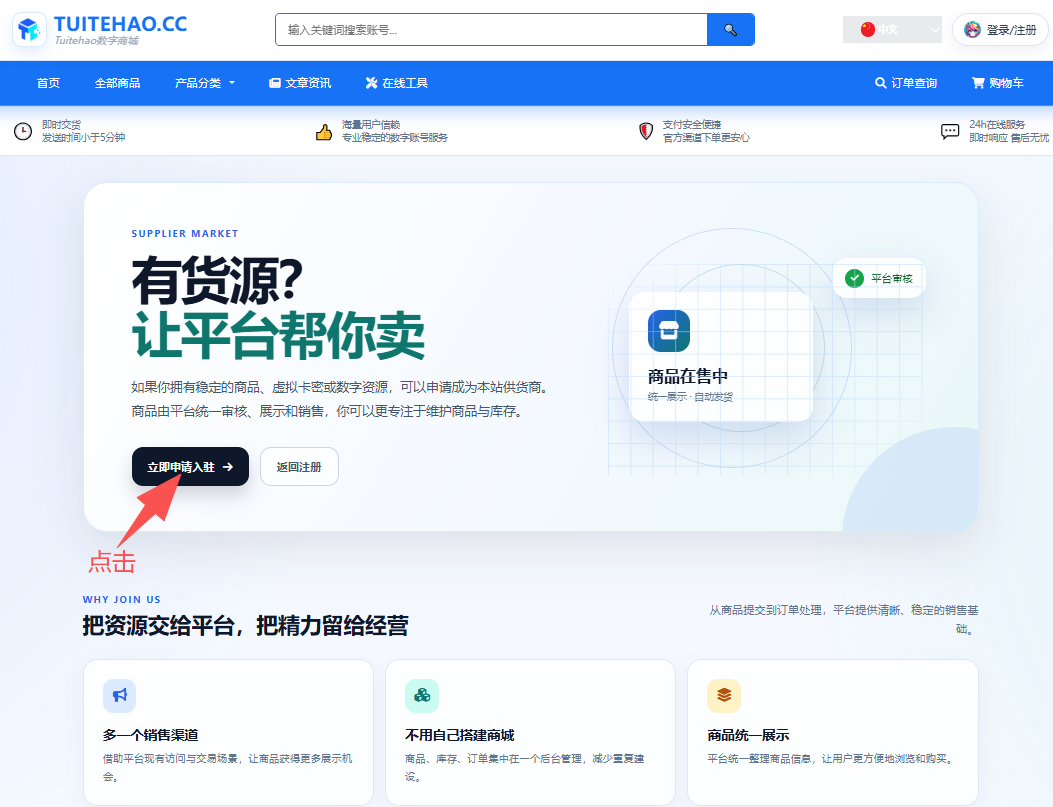
1. Members enter the “Seller Onboarding” page, then click “Apply Now.”
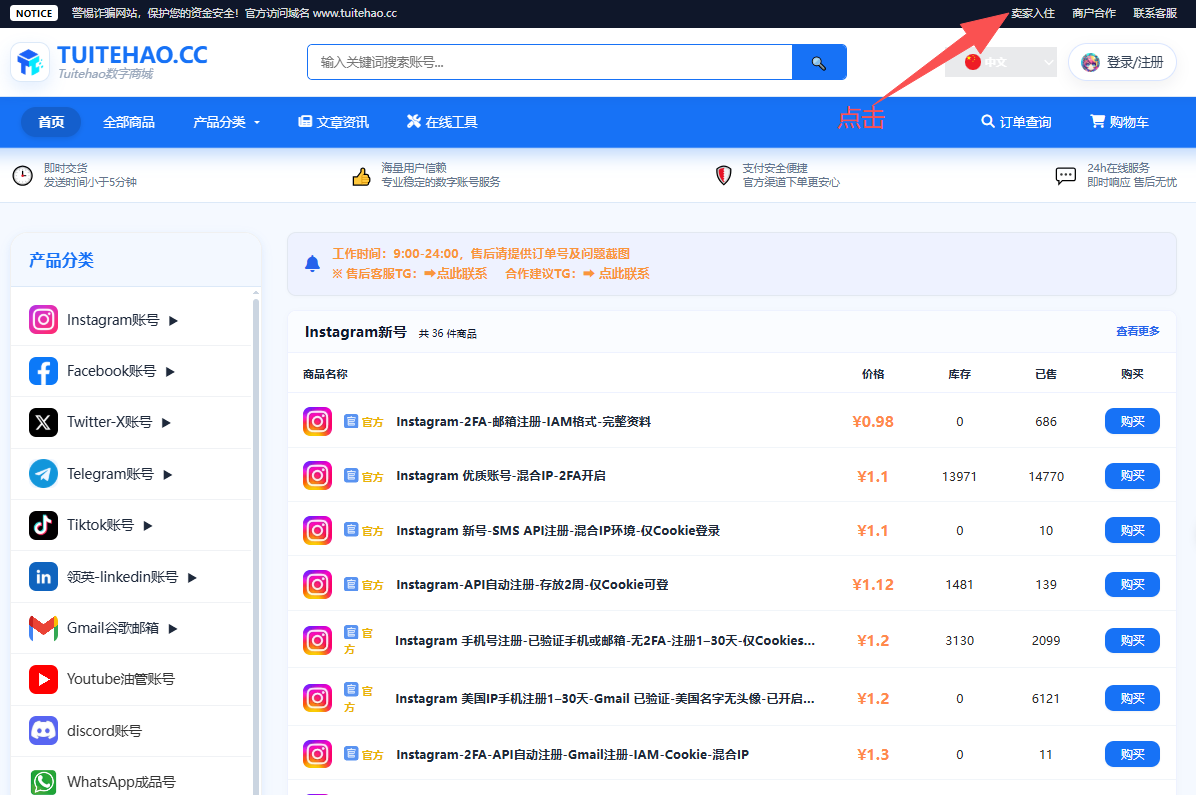 →
→
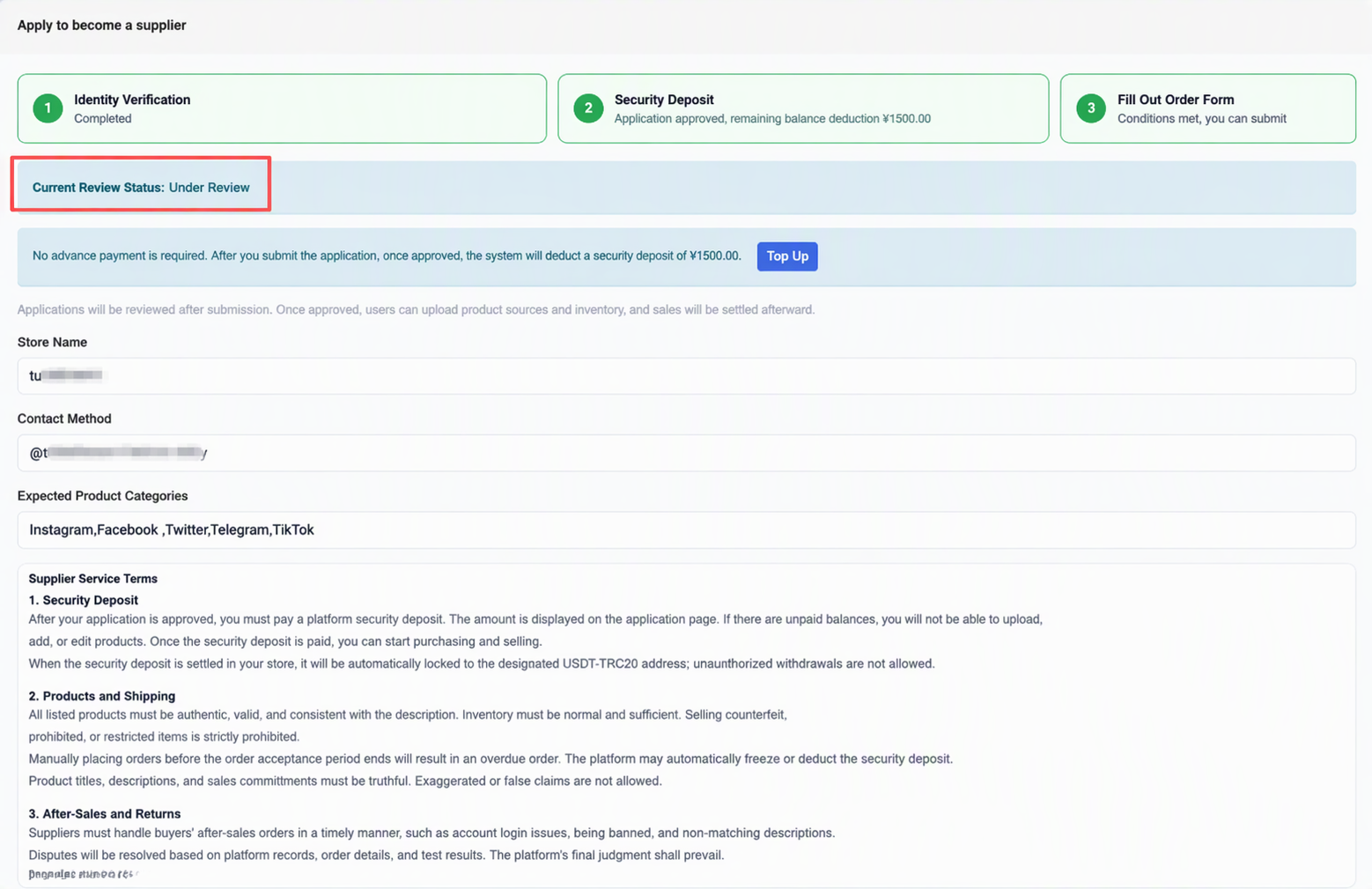
2. The platform has enabled a security deposit requirement. Members are required to recharge RMB 1,500. After the application is approved, the system will automatically deduct the corresponding security deposit from the account balance.
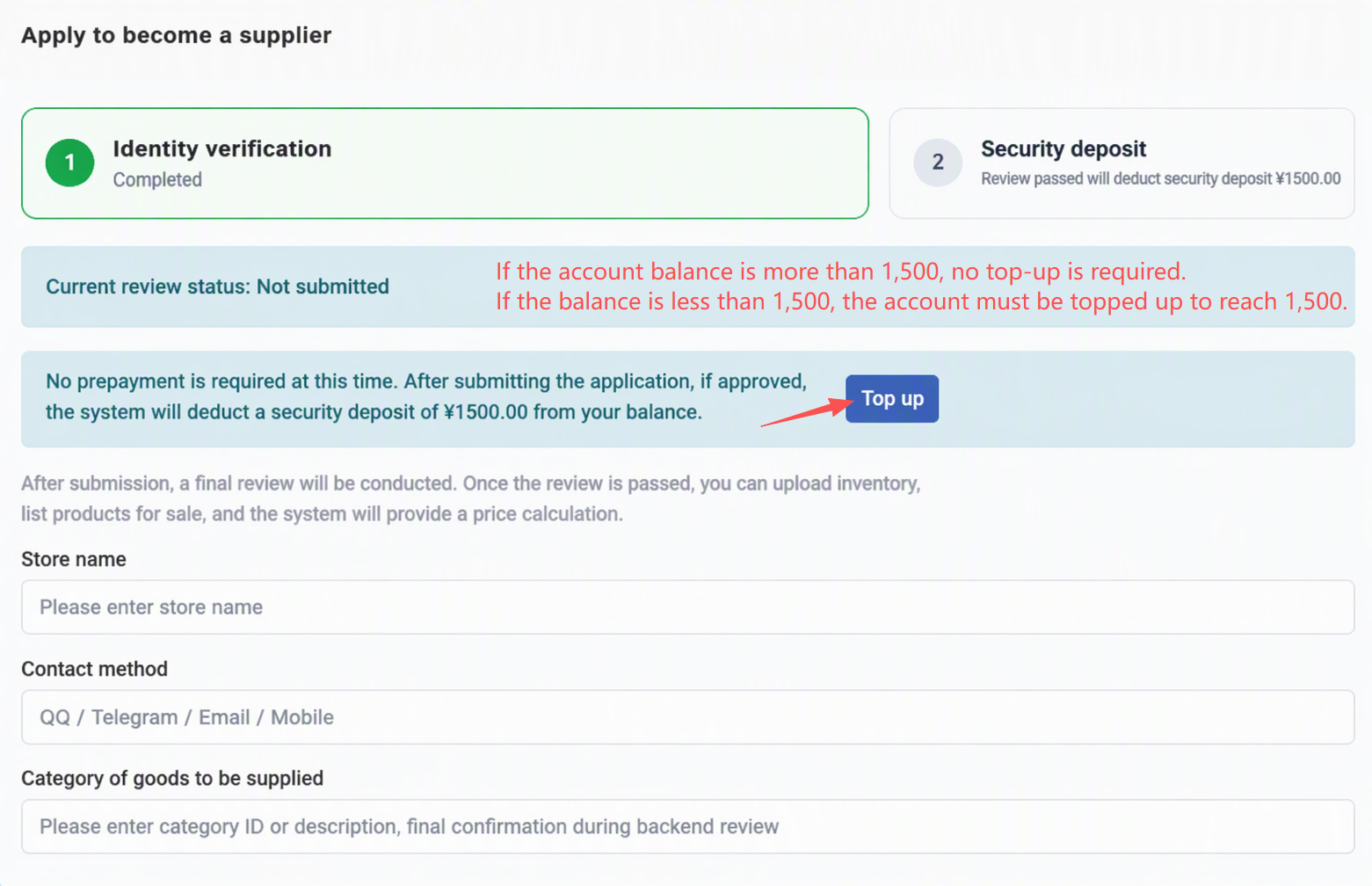
3. Members fill in the store name, contact information, preferred supply categories, and other relevant information, then submit the onboarding application.
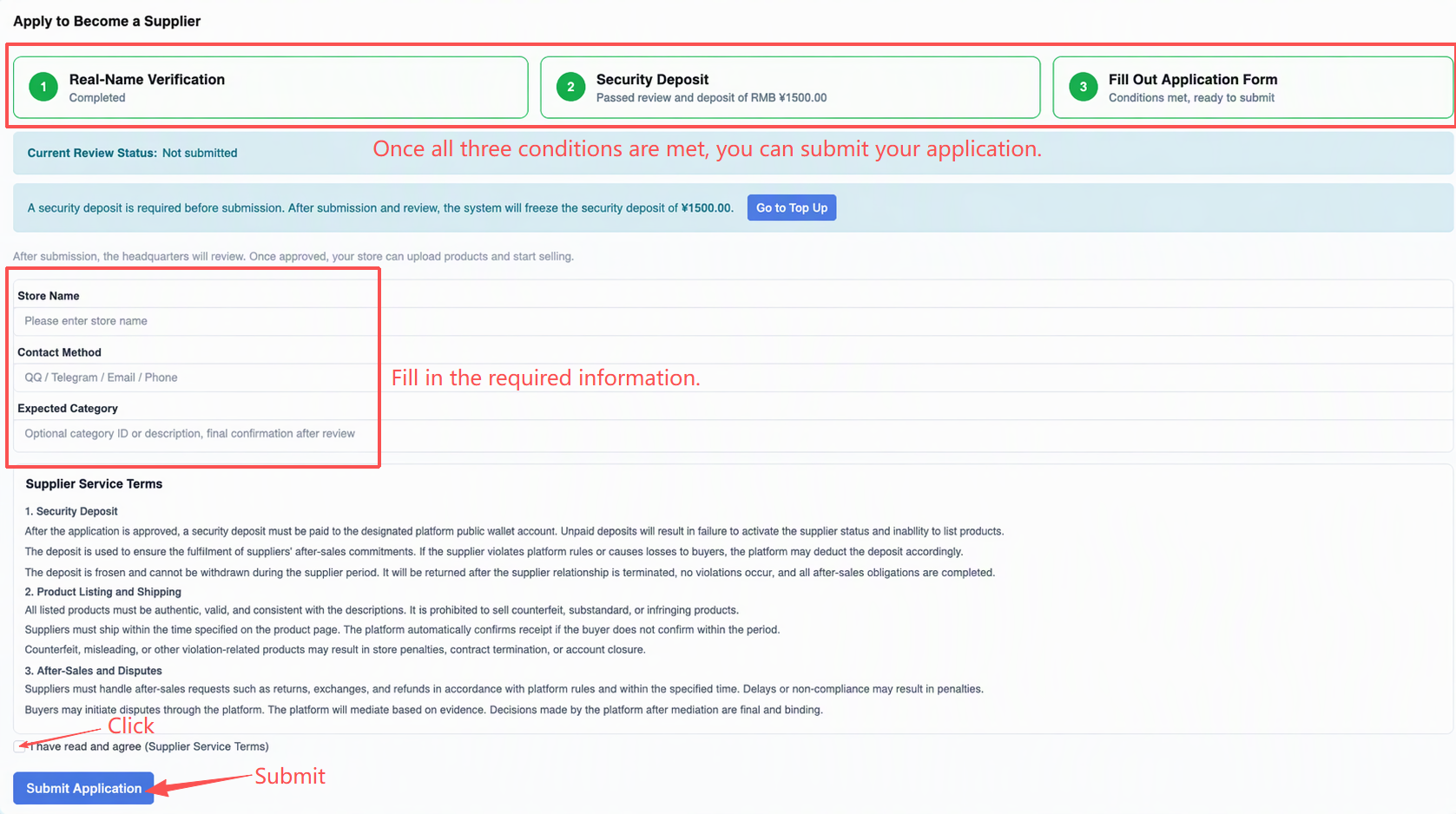
4. After the application is successfully submitted, the member side will display the status as “Pending Review.”
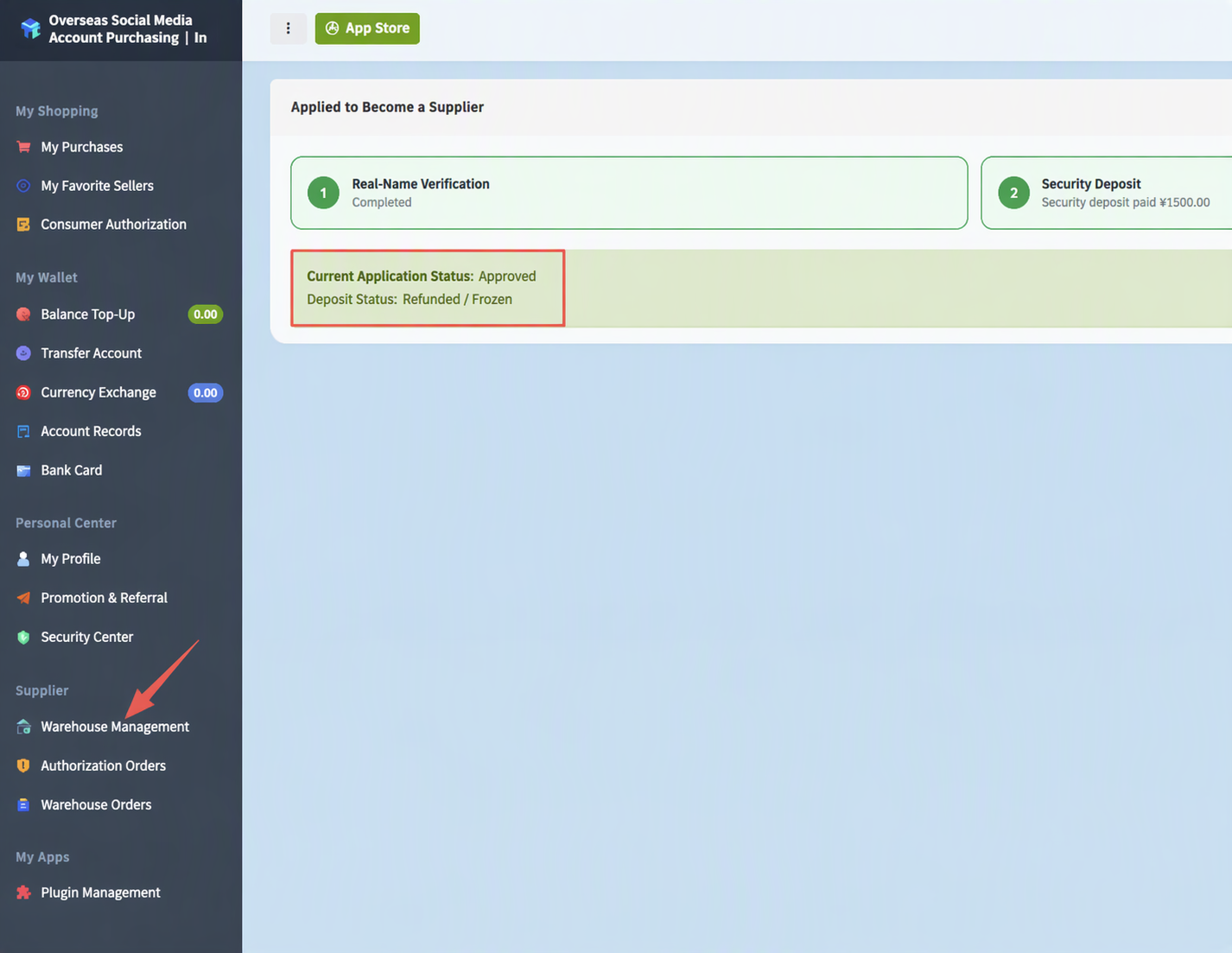
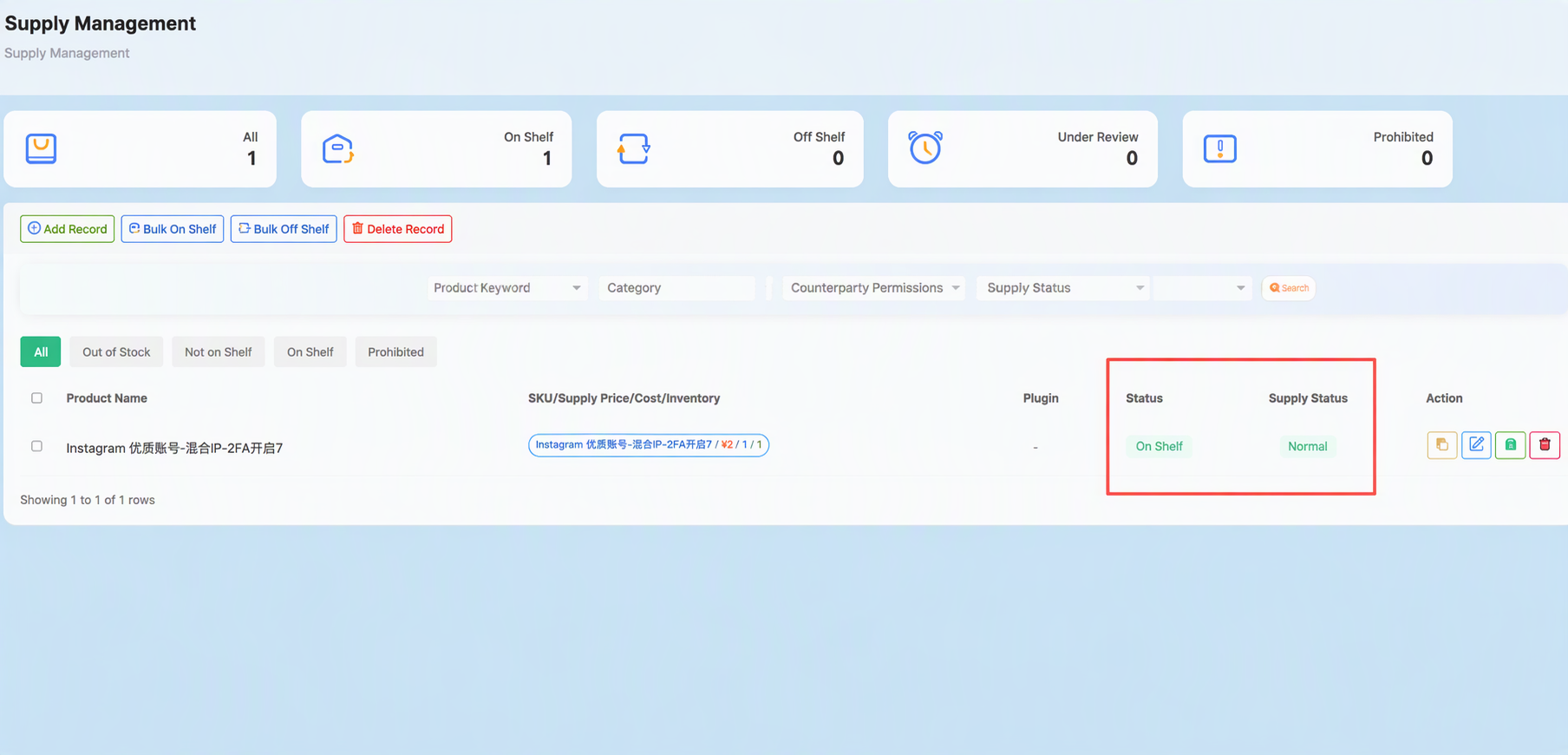
5. After the application is approved, members can go to “Source Management” to upload products.
Product Upload Process
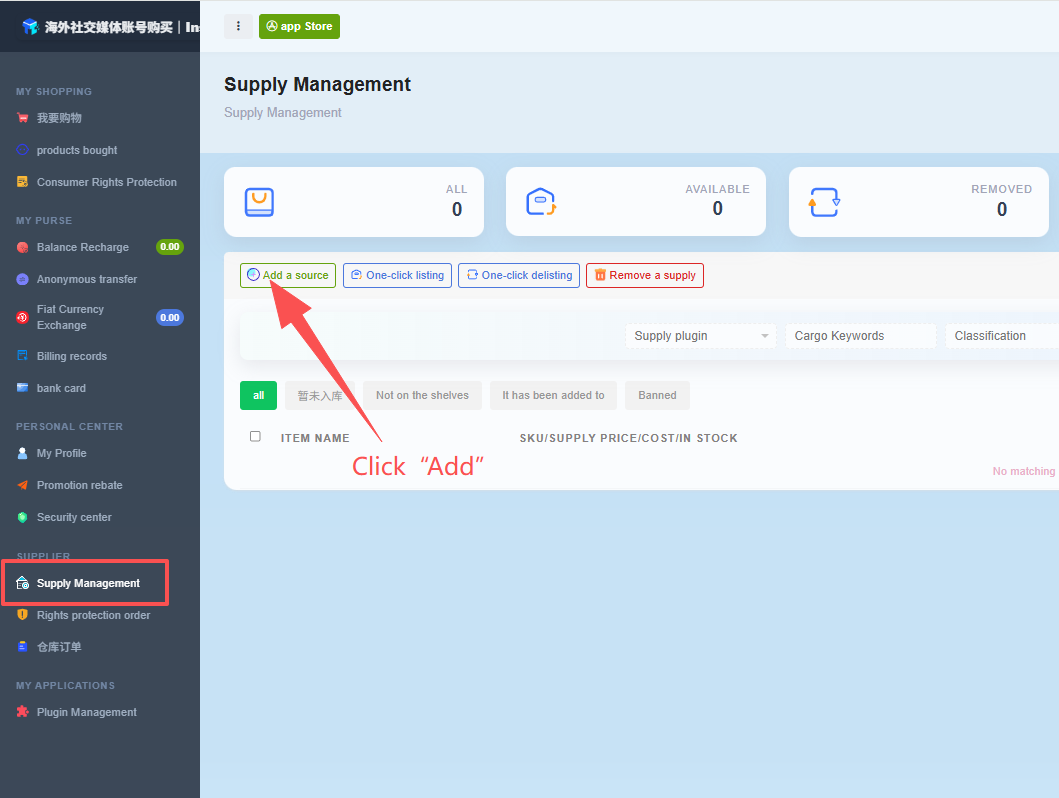
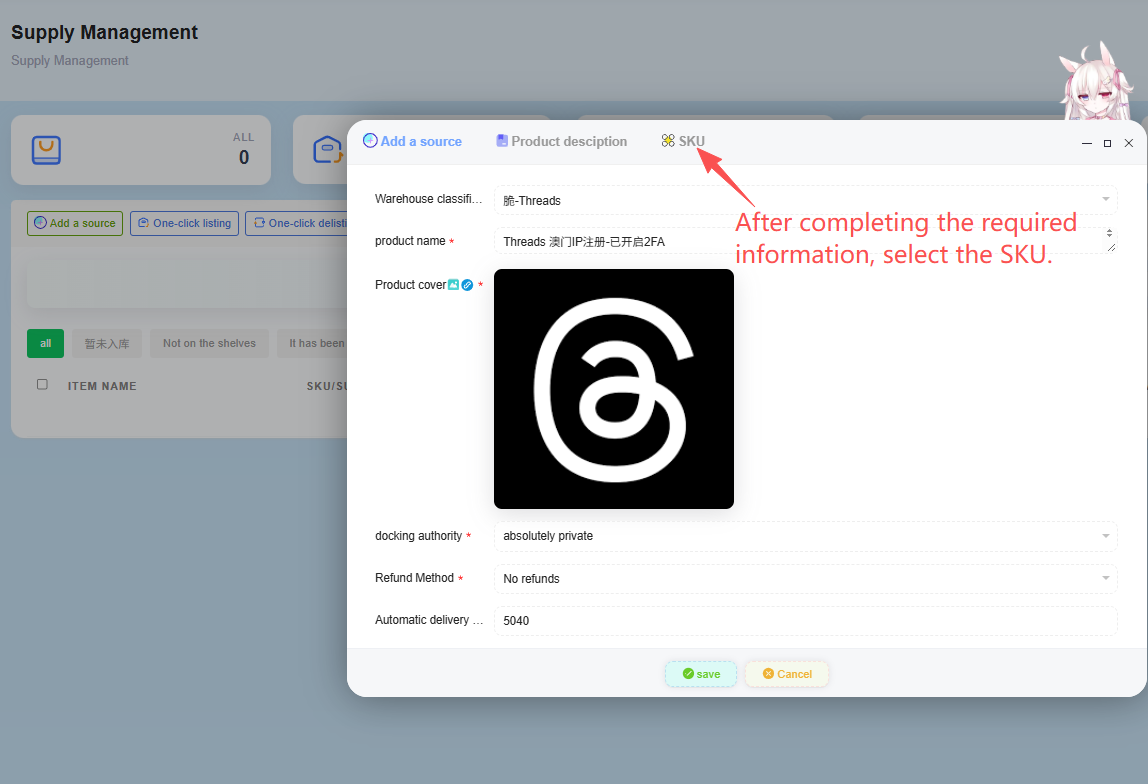
1. In Source Management, select “Add Source.”
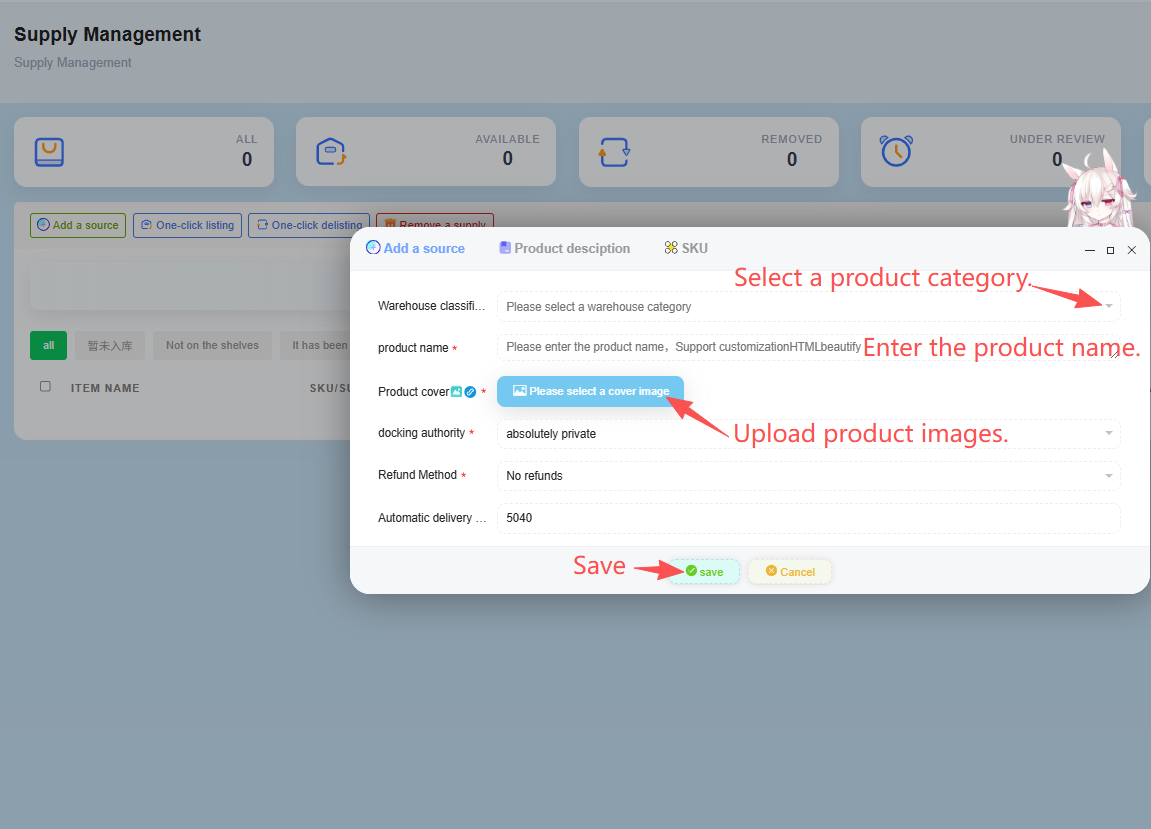
2. Upload the corresponding product category, product name, and product images.
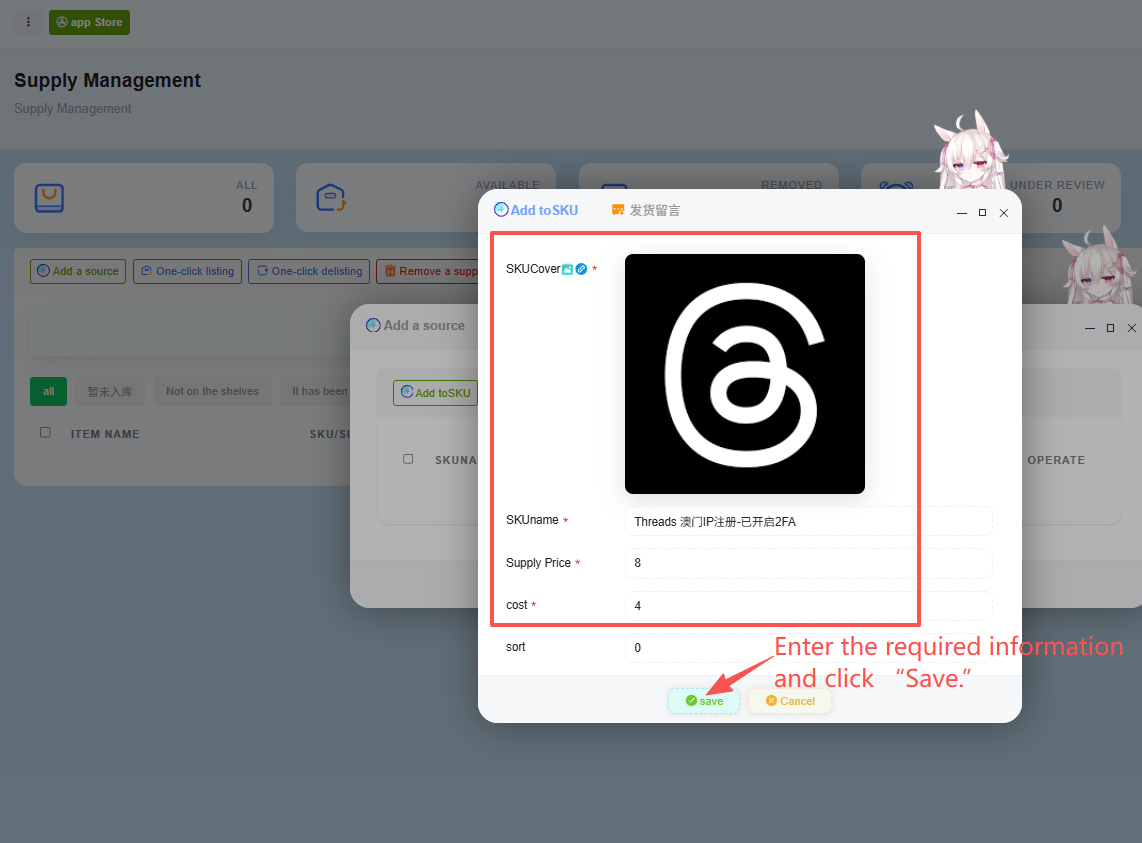
3. Complete the required product information, then click SKU. Enter the required information under SKU and click Save.
 →
→
4. After submission, wait for review.
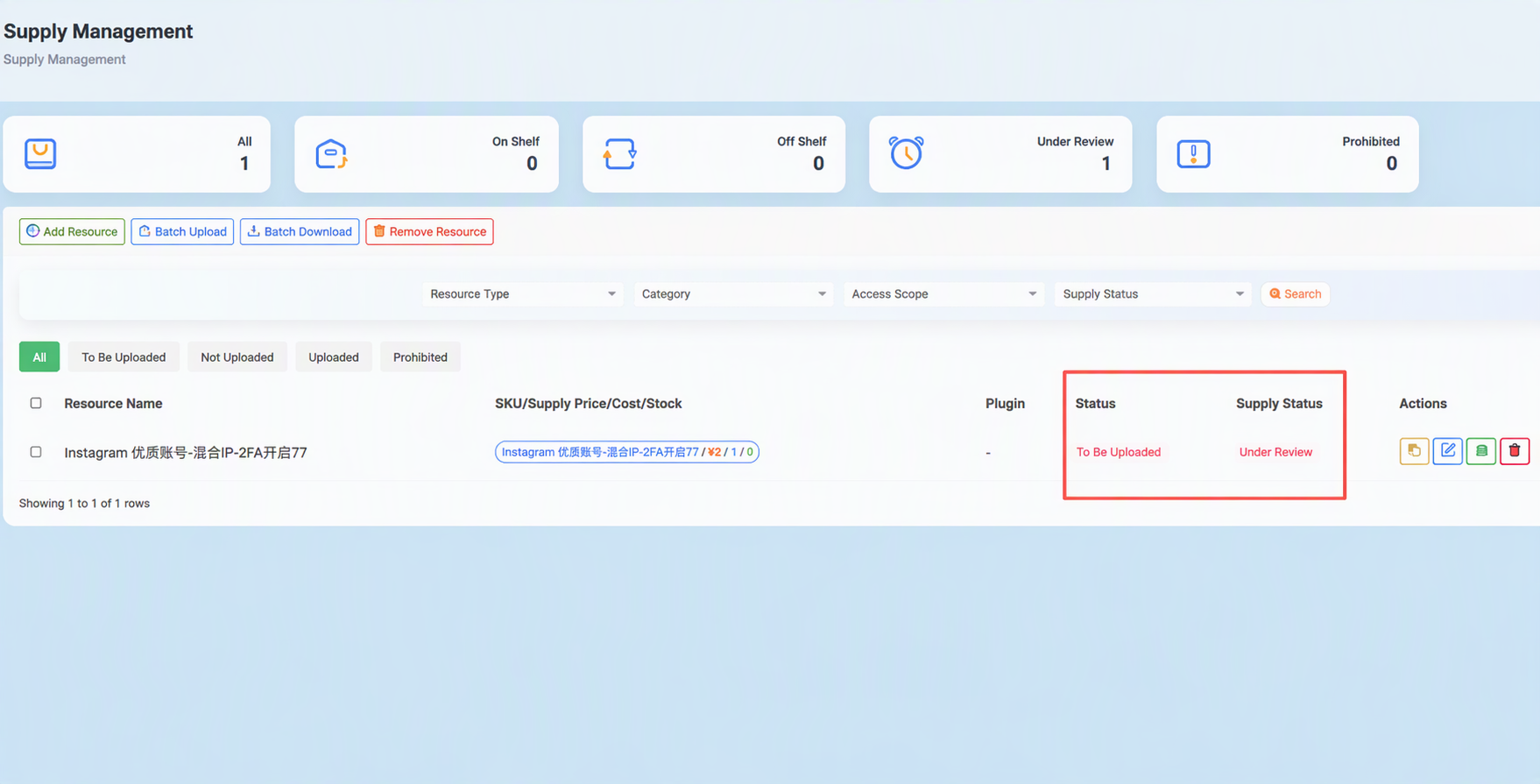
5. In the inventory upload section, add the card codes to be sold, enable “Duplicate Check,” and then click “Submit for Review.”
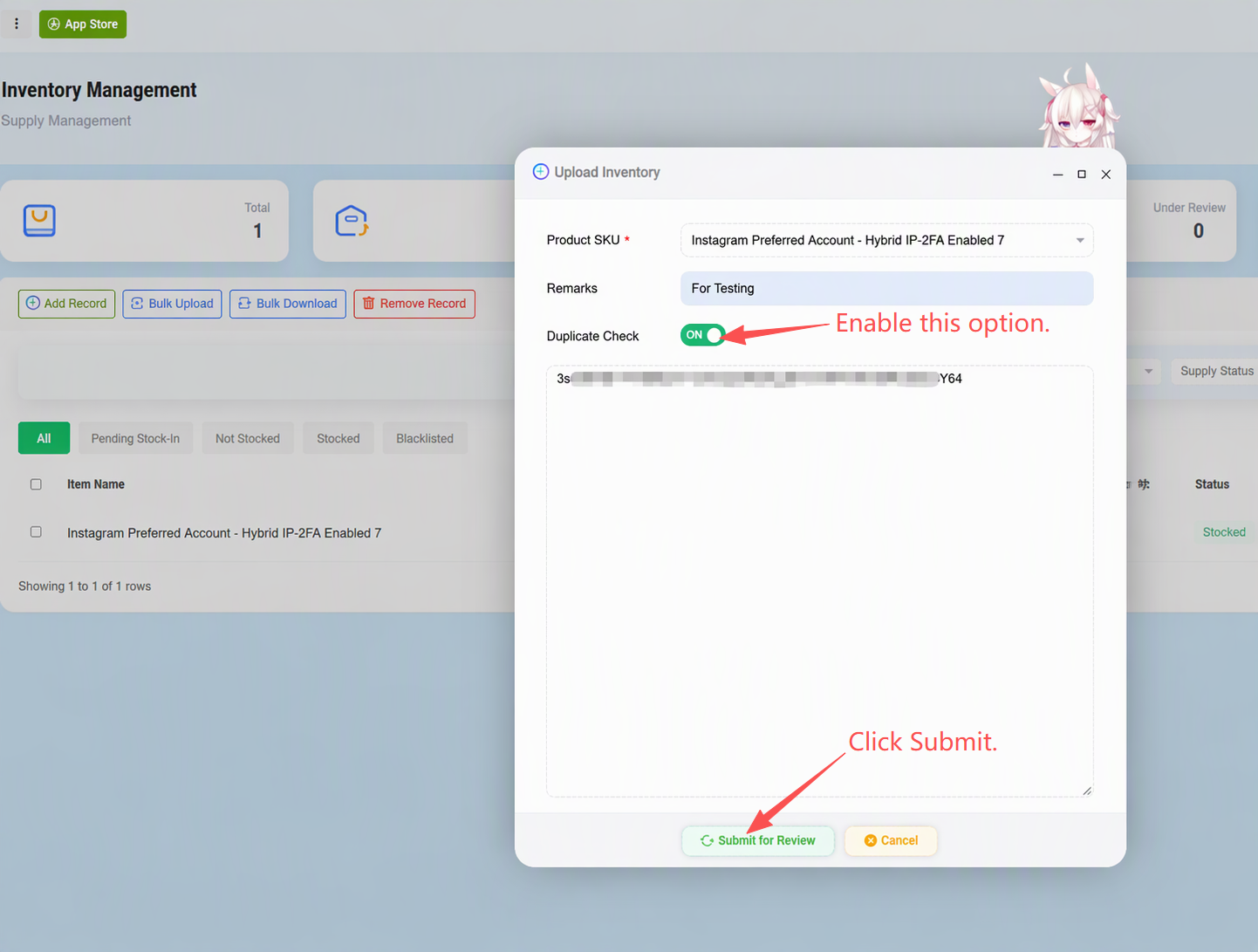
6.Once approved, the process is complete.
![脸书邮箱新号-2FA[手工注册带头像]](/assets/static/6440/image/2026-09-26/thumb/9776f460afbff145e81dd5039655d96d.jpg)
![Instagram 2012_2020老号-已开启2FA[邮箱验证带头像]](/assets/static/6440/image/2026-09-26/thumb/38de9de62c0a5513500fb11b6698cb11.jpg)